Google Ads for Small Businesses: Six Decisions to Make Before You Spend
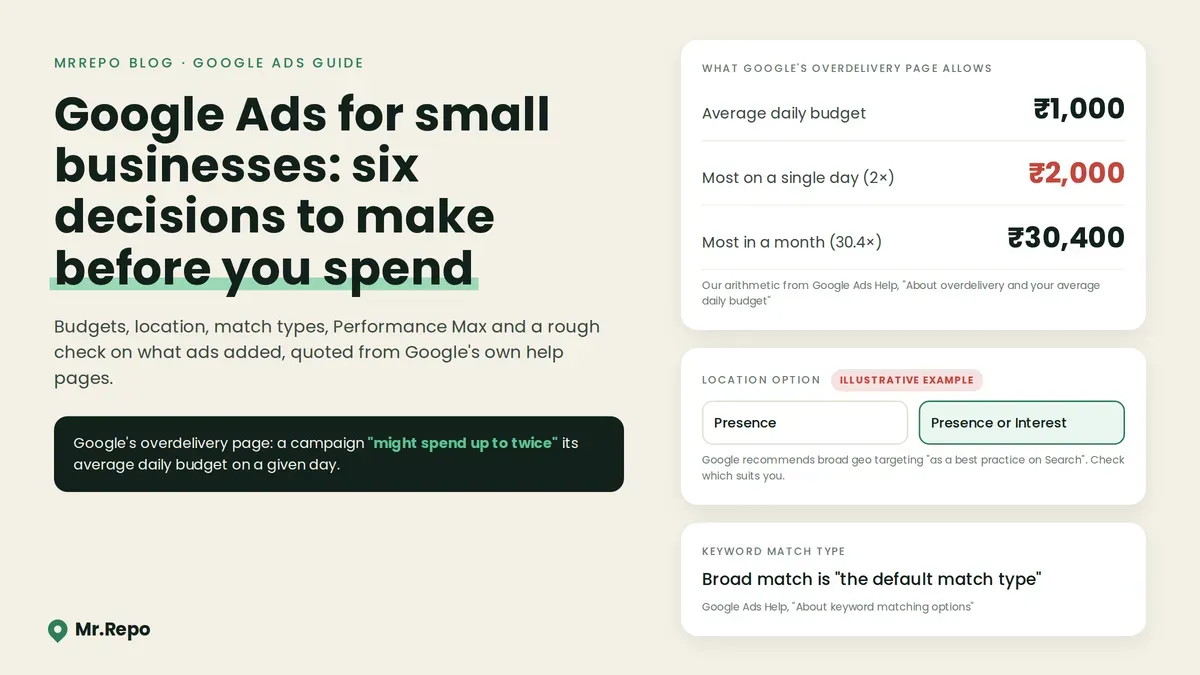
A Google Ads campaign starts with settings: the budget line, the location option, the keyword match type and the thing you tell Google to count as a result.
This guide walks through six decisions using Google's own help pages, quoted as they read on 23 September 2026, plus one peer-reviewed study of eBay's paid search returns. A disclosure first: Mr.Repo sells a Google Ads campaign manager on its Premium and Pay As You Go plans, so read this with that in mind. We describe what our tool does in one section near the end and make no claim about results. Sources are listed at the bottom.
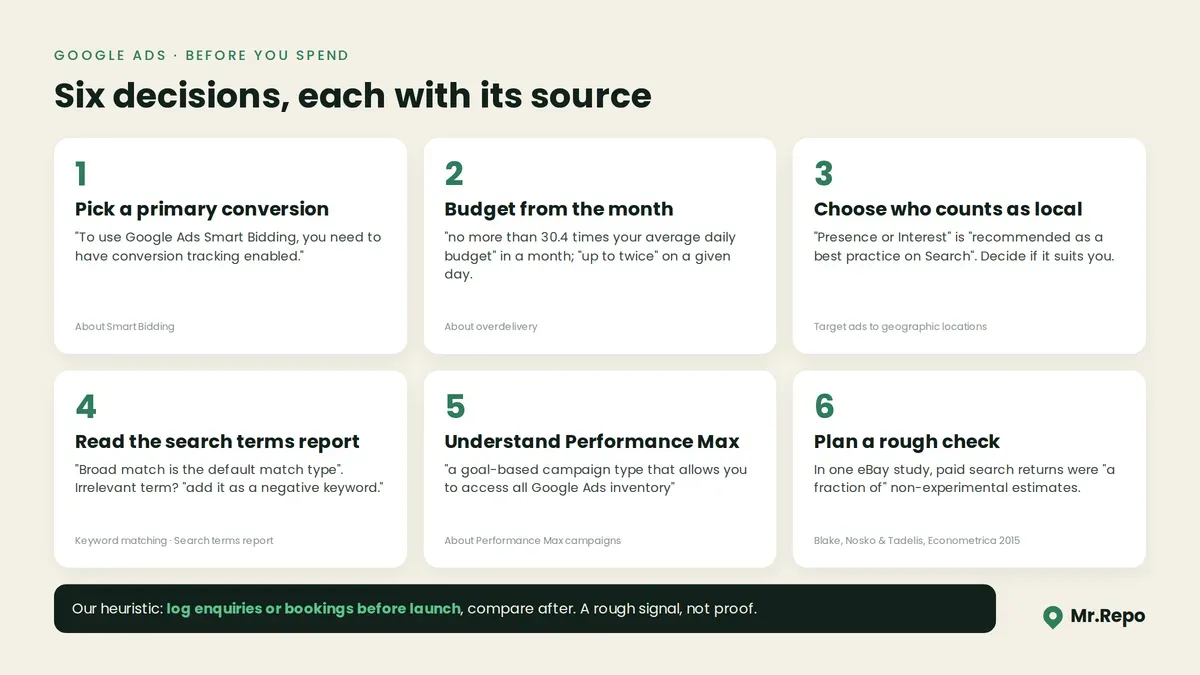
1. Decide what counts as a result
Google's conversion page puts it this way: "You choose what you identify as valuable, like a purchase, sign-up, or phone call, and Google Ads will then help you get the most out of your campaigns."
The choice matters most if you use Smart Bidding. Google describes Smart Bidding as "bidding strategies that use Google AI to optimize for conversions or conversion value in every auction", and says "To use Google Ads Smart Bidding, you need to have conversion tracking enabled."
Two practical points follow from Google's pages:
Primary vs secondary. Google says "Correctly configuring your conversion actions as primary (biddable) or secondary (observation-only) is critical." In our example, not Google's, a salon might make bookings primary and directions clicks secondary.
How much data you need. Google says "While you can turn on Smart Bidding without prior data, Google recommends meeting certain conversion baselines." Separately, for judging results, it recommends "longer time periods that have at least 30 conversions, such as a month or longer (50 conversions for Target ROAS)." That 30 is a figure for evaluating performance, not a minimum for switching bidding on. At, say, five bookings a month, reaching 30 conversions takes about six months.
2. Read your daily budget as a monthly number
Google's overdelivery page calls it your average daily budget and says:
"On a given day, your campaign might spend up to twice your average daily budget to take advantage of fluctuations of traffic."
"At the end of the month, you will have spent no more than 30.4 times your average daily budget."
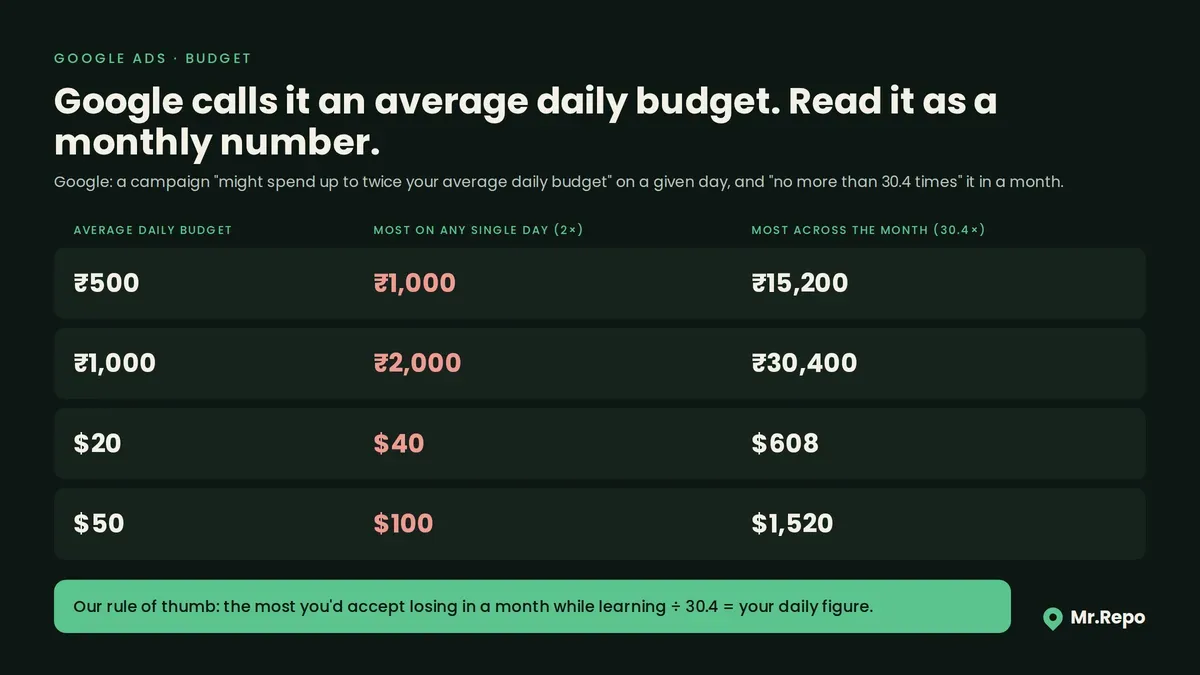
Our arithmetic, applying those two sentences:
| Average daily budget | Most on any single day | Most across the month |
|---|---|---|
| ₹500 | ₹1,000 | ₹15,200 |
| ₹1,000 | ₹2,000 | ₹30,400 |
| $20 | $40 | $608 |
| $50 | $100 | $1,520 |
If ₹30,400 a month is more than you can afford, ₹1,000 a day is too high, even if no single day feels expensive. Our rule of thumb: divide the monthly amount you would accept losing while learning by 30.4.
3. Decide who counts as local
Google's location page describes the broad setting like this: "Broad geo targeting ("Presence or Interest") can help you reach people who not only exist in your targeted locations, but have shown an interest in your targeted locations."
The same page says "While broad geo targeting is recommended as a best practice on Search, it's important to know when targeting for "Presence" makes sense." One case it names for "Presence" is a business that "falls within a sensitive vertical with strict targeting limitations".
In our view, for a hotel or wedding venue, reaching people interested in the area may be right. For a neighbourhood dentist or dry cleaner, people elsewhere who are merely interested in your city may be the wrong audience. Google's page does not decide this for you, and in our reading it does not call either option the default, so open the setting and check it.
4. Decide how you will check the searches you pay for
Google's keyword matching page says "Broad match is the default match type that all your keywords are assigned because it is the most comprehensive." It describes broad match as: "Ads may show on searches that are related to your keyword, which can include searches that don't contain the direct meaning of your keywords."
The narrower types are described as searches "that include the meaning of your keyword" (phrase) and searches "that have the same meaning or same intent as the keyword" (exact).
Google calls broad match the most comprehensive. But it means the keyword list is not a full description of what you are paying for. One report that shows the difference is the search terms report, which Google says lets you "know how your ads performed when triggered by actual searches within the Search Network". Its instruction on what to do with the results: "If a search term isn't relevant enough to the products or services you offer, add it as a negative keyword."
In an invented example, a plumber bidding on emergency plumber might see searches for plumbing jobs or courses; yours depend on your keywords and settings.
5. Understand Performance Max before you pick it
Google describes Performance Max as "a goal-based campaign type that allows you to access all Google Ads inventory, including YouTube, Display, Search, Discover, Gmail, and Maps, from a single campaign."
That sentence describes reach, not controls. We did not capture how Performance Max handles keywords, so check Google's documentation before assuming section 4 applies. In our view, first ask whether your conversion tracking (section 1) is reliable enough for a goal-based campaign.
We did not search for research comparing campaign types for small local businesses, so we make no claim about which performs better for one.
6. Plan a rough check on what the ads added
A conversion that follows an ad click was not necessarily caused by the ad: some of those customers may have found you anyway.
One peer-reviewed study speaks to this. Blake, Nosko and Tadelis (2015, Econometrica) report results from "field experiments done at eBay" and found that returns from paid search were "a fraction of" non-experimental estimates. Brand-keyword ads had "no measurable short-term benefits". The authors found "new and infrequent users are positively influenced by" the ads, and report that average returns were negative.
The scope matters. This is one very large online marketplace with a well-known brand. A small local business is in a different position, and the study does not tell you your returns. What it does show is that, at eBay, non-experimental estimates overstated returns.
Our rough method, without an experiment budget: before launching, write down your enquiries or bookings per month for the last few months, then compare after. It is a rough check, not proof, because seasons, prices and word of mouth change too. Our review benchmarks post covers why small monthly numbers swing on their own.
Where your reviews meet your ads
Ads can show store ratings. Google's store ratings page lists Google Customer Reviews, "A free program that collects post-fulfillment reviews on behalf of merchants, managed in Google Merchant Center", among its sources. It says "The number of reviews needed can vary from business to business, but most merchants are able to obtain a rating after collecting 100 or more eligible reviews" and lists "Average, composite, rating of 3.5 or more stars for text ads".
In our reading, that page does not mention Google Business Profile or Maps reviews as a source. A business collecting reviews on its Business Profile should not assume those stars will appear in its ads.
Where Mr.Repo fits
Mr.Repo's Google Ads feature is a campaign manager that you run yourself. Our features page says: "Connect your Google Ads account to create Search, Performance Max, Demand Gen and Shopping campaigns." and "Manage budgets, keywords and ads, track conversions, and write ad copy with AI, all within spend limits you set."
Our pricing page says: "Google Ads and Meta Ads are on Premium and Pay As You Go, using your own ad account, so Google and Meta bill you directly for ad spend and Mr.Repo never takes a cut of it."
The six decisions above are still yours; our team does not run your campaigns. We make no claim that running a campaign from Mr.Repo changes its results compared with running it in Google Ads directly. See Features and Pricing.
Six working practices
These are our own working heuristics, not rules from Google or findings from research:
Write down one primary conversion before creating a campaign, and make it something that brings in money or a booking.
Set the budget from the month: the most you would accept losing in a month while learning, divided by 30.4.
Open the location option and choose "Presence" or "Presence or Interest" on purpose.
Read the search terms report weekly for the first month and add negatives for irrelevant searches.
Keep a before-and-after log of enquiries or bookings, and treat it as a rough signal only.
Judge Smart Bidding over periods with 30+ conversions (50 for Target ROAS), following Google's evaluation guidance.
Key takeaways
Google labels primary conversion actions "biddable" and requires conversion tracking for Smart Bidding, so decide your conversions first.
An average daily budget can spend up to twice its value in a day, and no more than 30.4 times it in a month, per Google's page.
Google recommends "Presence or Interest" as a best practice on Search; whether it suits a neighbourhood business is your call, so check the setting.
Broad match is Google's default match type, and the search terms report shows the Search Network searches that triggered your ads.
In one peer-reviewed eBay study, paid search returned a fraction of what non-experimental estimates suggested; it does not measure local businesses.
FAQ
How much should a small business spend on Google Ads? We won't give you a number. Google's overdelivery page does say a campaign can spend up to twice its average daily budget on a given day and no more than 30.4 times it in a month. Our rule of thumb: the most you would accept losing in a month while learning, divided by 30.4.
Do I need conversion tracking to run Google Ads? For Smart Bidding, yes: Google says "To use Google Ads Smart Bidding, you need to have conversion tracking enabled." Without it, a before-and-after log is one rough fallback.
Will my Google reviews show in my ads? Don't assume so. Google's store ratings page lists Google Customer Reviews among its sources and, in our reading, does not mention Business Profile reviews. It says the number of reviews needed can vary, and that most merchants are able to obtain a rating after 100 or more eligible reviews.
Does Mr.Repo manage my Google Ads for me? No. Mr.Repo's Google Ads feature is a self-serve campaign manager on the Premium and Pay As You Go plans. You connect your own Google Ads account, Google bills you directly, and Mr.Repo takes no cut of ad spend.
