Where to Put Your Feedback QR Code So People Actually Scan It
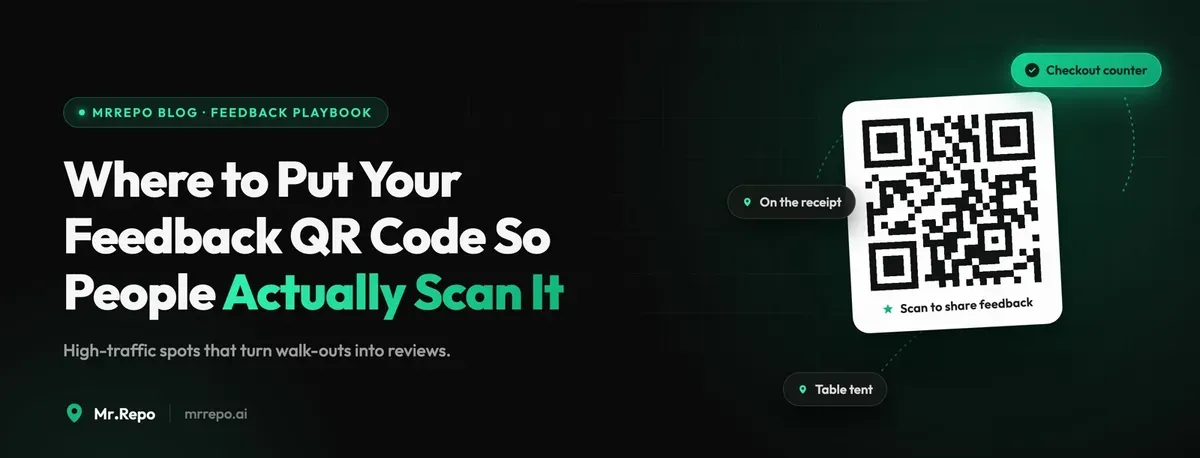
Most feedback QR codes fail for a boring reason: they are in a place where nobody has a free hand, a spare moment, or a reason to care.
A retail owner tapes a code to the counter and gets four scans in a month. A plumbing company prints one on the back of an invoice and gets none. Neither concludes that the code is in the wrong place — they conclude that "customers don't leave reviews." That is almost never true. The same customers leave reviews for other businesses constantly. What they don't do is stop, dig out their phone, and open a camera app while a card reader is beeping at them and someone is waiting behind them in line.
Placement is not a design decision. It's a timing decision that happens to have a physical location attached. This guide covers where codes actually get scanned in retail shops and home-services businesses, what the sign next to the code has to say, and how to measure whether a spot is working — all inside a flow that stays on the right side of Google's review policies.
The Three Conditions a Scan Needs
Every scan that happens anywhere satisfies three conditions at once. Every code that fails is missing at least one.
1. The customer's hands are free. This eliminates the checkout counter at the exact moment of payment, the doorway while someone is carrying bags, and any surface a customer walks past rather than stands at. Hands come free about fifteen seconds after payment — while the receipt prints, while the card terminal thinks, while a bag is being packed.
2. The feeling is still present. Satisfaction has a short half-life. A customer who just got great help finding the right part feels it strongly for about a minute after they walk out, weakly by the car, and not at all that evening. This is the single biggest reason emailed review requests underperform physical ones: the email arrives long after the feeling is gone.
3. There's an obvious reason to bother. "Leave us a review" is a request for a favour. "Tell us how we did — we read every one" is an invitation to be heard. The second converts substantially better because it offers something to the customer instead of asking something from them.
Hold every candidate placement against those three. Most fail on the first or second.
Retail: The Five Spots That Work
The bag insert. A small card dropped into the bag at packing, scanned in the car or at home the same day. This works better than counter signage in most shops because the customer finds it when their hands are genuinely free. Print it at business-card size on decent stock — a flimsy slip reads as junk mail and gets thrown out with the receipt.
The receipt footer. Nearly every modern POS can print a QR code or a short URL in the footer. Free to run, no printing, no maintenance, and it goes home with every single customer. Scan rates are lower than a bag insert but the volume is far higher, so total feedback usually comes out ahead.
The fitting-room mirror. Specific to clothing and eyewear, and quietly the highest-converting spot in the shop. The customer is alone, standing still, holding their phone already, and mid-decision about whether they like what they're getting. Frustrations surface here that never make it to the counter — wrong sizes, missing stock, nobody available to help.
The pickup or collection desk. Click-and-collect customers have completed a transaction they already committed to online. There's a natural pause while someone fetches the item. That pause is the opening.
Packaging on a delivered or shipped item. Same logic as the bag insert, extended to customers who never set foot in the shop. For many retailers this is the only feedback channel that reaches their online buyers at all.
Where codes reliably die in retail: window decals, entrance doors, shelf edges anywhere in the aisles, and the payment terminal itself. Every one of those hits a customer whose attention is committed elsewhere.
Home Services: The Job Is the Moment
Plumbers, electricians, HVAC techs, cleaners, landscapers, mobile mechanics — the dynamics here are completely different. There's no counter, no bag, no receipt. There is one enormous advantage instead: a technician standing in front of the customer, having just fixed the thing that was wrong.
The end-of-job handoff is the whole game. After the tech explains what they did and before they pack up the van, they hand over a card and say one sentence. That's the moment. Nothing else in home services comes close.
The sentence matters more than the card. Compare:
"If you're happy, we'd really appreciate a review."
"Scan this and tell us how the job went — good or bad, it comes straight to the office and we read all of it."
The first asks for a favour and quietly signals that unhappy customers should stay quiet. The second is an open invitation, which is both more effective and the only version that keeps you compliant with Google's policies — more on that below.
Other placements that pull their weight in home services:
A magnet or sticker left on the appliance or unit serviced. A boiler sticker gets scanned months later when the customer looks up who to call again. Long tail, low volume, high intent.
The invoice. Same footer logic as a retail receipt, and most field-service software supports adding a QR code or link.
The vehicle. A code on the van door catches neighbours who watched you work at the house next door. Different intent, still useful.
The follow-up text. Sent the same day, not three days later. Text beats email badly for this audience — open rates aren't close.
What the Sign Has to Say
The code is a mechanism. The sign is the conversion. Four rules:
Say what happens next. "Scan to leave feedback" tells the customer nothing about what they're walking into. "30 seconds, no app, no account" removes the two objections people actually have.
Never make satisfaction a condition. Any wording along the lines of "if you had a great experience, leave us a Google review" filters who gets asked based on how they feel. That is review gating, and it violates Google's policies whether it happens in your software or on a laminated card. It also throws away the feedback you most need. A well-built flow shows every customer the same options — public review platforms and a private message to the business — and lets them choose. That's the design MrRepo ships by default, and it's the design you should replicate even if you're doing this with a free QR generator and a spreadsheet.
Never offer anything in exchange. No discounts, no prize draws, no free coffee for a review. Incentivized reviews violate Google's policies, and enforcement can hit the whole business profile, not just the offending reviews.
Keep it small. A code the size of a coaster with six words next to it outperforms a full-page poster. Big signage reads as advertising and gets tuned out.
Measure the Spot, Not the Program
Placement is testable, and most owners never test it. Two numbers tell you almost everything:
Scans per hundred customers. Total scans divided by transactions or completed jobs. Under 2% means the placement is wrong or the ask is missing. Between 5% and 15% is a healthy spot. Home services with a spoken handoff routinely beat that, sometimes badly.
Sentiment split by placement. This is the number people miss. A code at the counter and a code in the fitting room will produce completely different feedback from the same shop, because they catch customers at different points in their experience. If one location produces almost entirely positive feedback, it's probably catching people who already committed to being happy — useful for reviews, useless for finding problems.
Run one code per placement so the data separates cleanly. Give each spot three to four weeks before judging it; a week is noise. Then kill the bottom performer and move that code somewhere else rather than adding a fifth sign.
Real-time alerts on negative feedback matter more than the analytics here. A complaint that reaches you within the hour is a problem you can still fix. The same complaint discovered in a monthly report is a public review with your reply underneath it.
The Uncomfortable Part
If you place codes well and your feedback volume goes up, some of what arrives will be bad. That is the system working correctly. A shop that collects fifty pieces of feedback a month and sees six complaints is not a worse shop than one collecting four pieces and seeing zero — it's the same shop with better information.
The businesses that get the most out of this treat placement as an ongoing experiment. They move codes, kill spots that don't work, and read private complaints as a defect log rather than an inbox to clear.
That's the entire method. Put the ask where hands are free and the feeling is fresh, say something worth responding to, show everyone the same options, and measure each spot separately.
FAQ
Where is the single best place to put a feedback QR code? In retail, a card in the bag at packing. In home services, handed over by the technician at the end of the job with a spoken sentence. Both work because the customer's hands are free and the experience just happened. If you can only run one code, run one of those.
Do QR codes still work, or have customers stopped scanning them? They work. Native camera scanning is standard on every current phone, and the pandemic-era menu rollout removed the learning curve entirely. Codes fail because of placement and wording, not because scanning is unfamiliar. If your scan rate is near zero, change the spot before you change the technology.
Can I put "leave us a 5-star review" on the sign next to the code? No. Asking specifically for positive reviews, or asking only customers who seemed happy, is review gating under Google's policies. Ask for feedback from everyone and let them choose where it goes. You'll get more total reviews this way, and the rating will be one you can defend.
How many QR codes should a single location run? Two to four distinct placements is the practical range for most small businesses. Use a separate code per spot so you can compare scan volume and sentiment, and resist the urge to blanket the premises — more signage does not produce more scans, it produces less attention per sign.
