Which Competitors Should You Track on Google? How to Pick the Rivals Your Customers Actually Compare You With
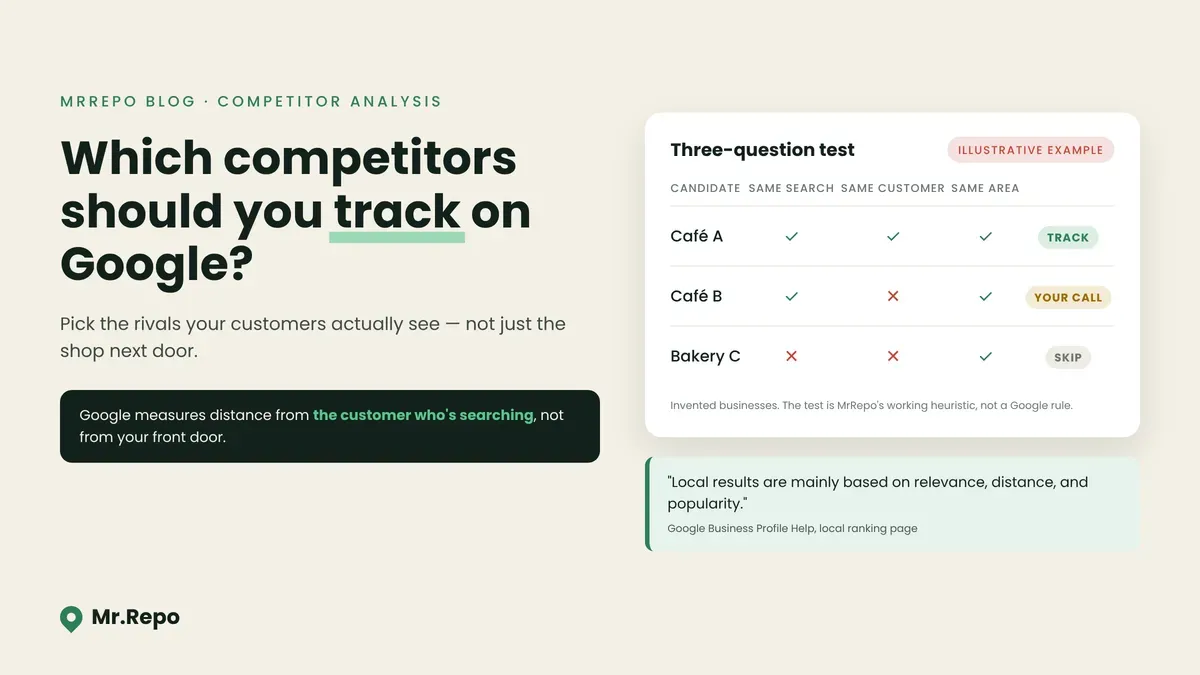
Ask a café owner who their competition is and you may get a name from across the street. Ask the person searching "coffee near me" from a bus stop across town and the answer may be cafés the owner has never thought about.
Competitor tracking is only as useful as the list you track. Watch the wrong businesses and your charts can be accurate but irrelevant: you may celebrate pulling ahead of a shop your customers rarely consider, while the one they actually pick instead goes unwatched.
This guide covers how to choose that list. It leans on what Google's own help pages say about how local results are put together, and it is clear about where those pages stop and our own working practice begins.
What Google says shapes local results
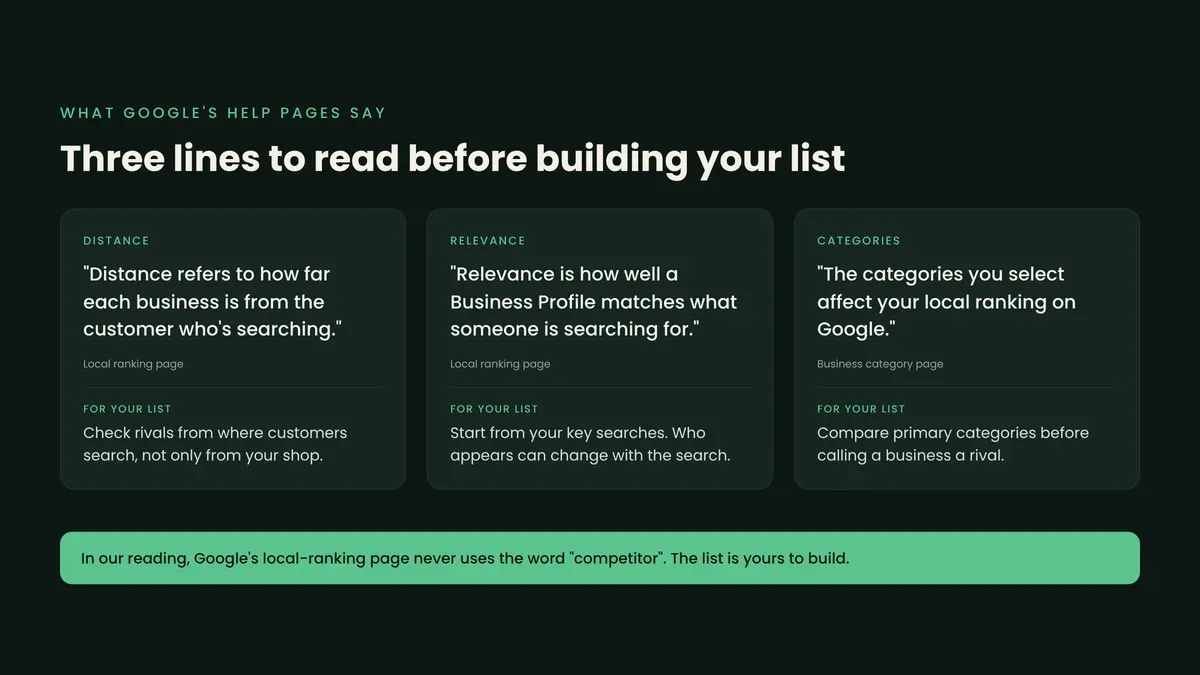
Google's local-ranking page is brief. It says: "There's no way to request or pay for a better local ranking on Google." It names the factors in one sentence: "Local results are mainly based on relevance, distance, and popularity."
Two of those factors matter for picking competitors.
Relevance is "how well a Business Profile matches what someone is searching for." So which businesses appear depends partly on the search. A bakery that also serves coffee may sit beside you for one search and not appear at all for another.
Distance "refers to how far each business is from the customer who's searching." Read that carefully: it is the customer's location, not yours. The page adds that if a customer doesn't share where they are, "Google uses what it knows about their location."
Under a separate heading the page says "Prominence means how well-known a business is," without saying whether that is the same as "popularity". It also states that "More reviews and positive ratings can help your business's local ranking." Review tracking sees only reviews and ratings. But it only tells you something useful if the businesses you compare against are the ones competing for the same searches, from the same customers.
One more thing worth knowing: in our reading of that page, the word "competitor" does not appear. The page describes matching businesses to searches. It does not list your competitors. That list is yours to build.
Three mistakes that make a competitor list useless
1. Picking by distance from your front door
"Nearest to me" is the easiest list to make and often the wrong one. Google measures distance from the person searching, and your customers may search from their homes, offices or the road. A salon near offices may compete with salons near its customers' train stations, not the one next door.
2. Picking by name recognition
The famous business in your area may not be fighting for your searches at all. A large restaurant known for weddings and a ten-table neighbourhood place may share a street and rarely share a search result.
3. Picking a different kind of business
Google's category page gives a concrete example: if your primary category is "Pizza restaurant," Google "might show your business in someone's local search result when they search for Restaurants, Italian Restaurants, or Pizza." The same page says plainly that "The categories you select affect your local ranking on Google."
Our inference: a business with a different primary category may still appear beside you for broad searches like "restaurants", and not for the specific searches that bring you most of your customers. Comparing yourself with it tells you little about the searches you care about.
Start from your own search terms, not from a map
If your profile is verified, Google may offer a better start than guesswork. The performance report includes a "Searches" metric, which Google defines as "The search terms people used to find your business." Two caveats from the same page: the searches metric "is updated at the start of each month. It might take up to 5 days to show up," and "Only metrics that apply to your business appear."
Google also notes: "You can't directly manage these queries." You can't directly manage them, but you can read them: the terms people used to find you.
From that list, pick the few searches that matter most to you. Value matters more than how common a term looks. A dental clinic may care more about "emergency dentist" than "dentist".
A three-question test for each candidate
The following is our own working practice, not something Google publishes. We use it because it ties each pick back to the factors Google names.
Same search? Does this business appear when you run one of your key searches? (Relevance.)
Same customer? Would the people who choose you plausibly choose them instead, on price, service and type of business? Check their primary category against yours. (Your judgement; Google says categories affect ranking.)
Same area? Do they show up when you search from where your customers are, not only from your shop? Ask a few regular customers or staff who live elsewhere to run the search and send you a screenshot. (Distance.)
Pass all three: track it. Pass two: your call. Fewer: skip.
Choosing a balanced set
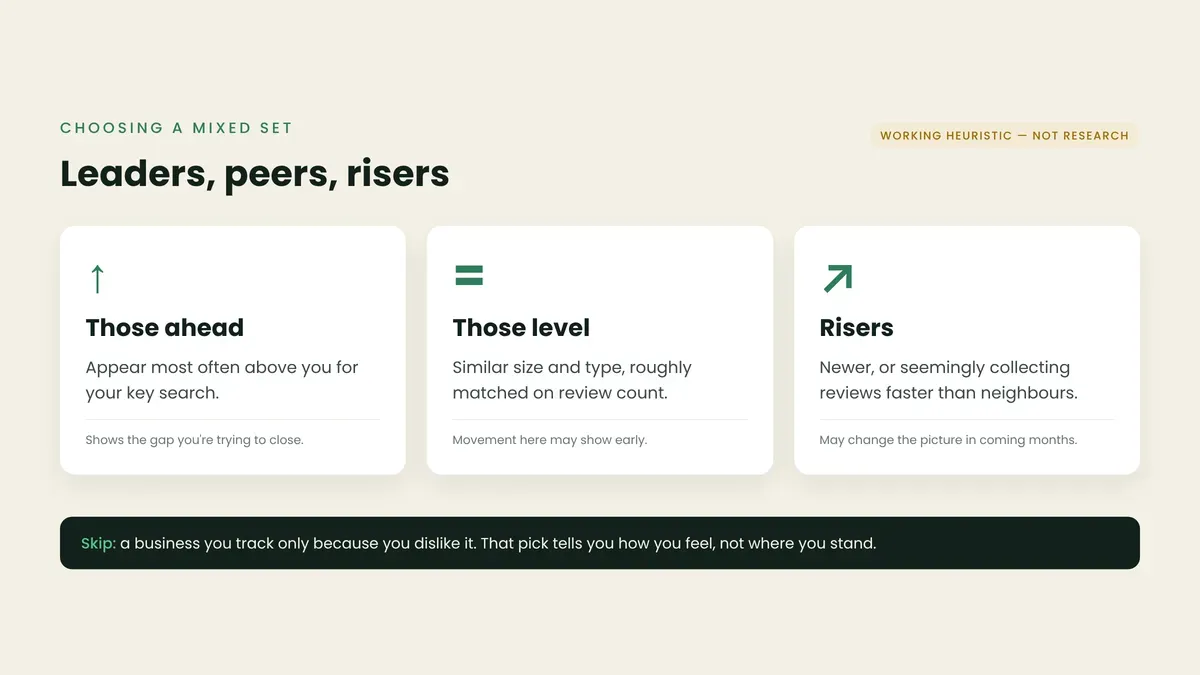
When you can only watch a few businesses, a mix tends to tell you more than look-alikes. Again, this is our own working heuristic, not research:
Those ahead of you. The business that most often appears above you for your key search. This is the comparison that shows you the gap you are trying to close.
Those level with you. A business of similar size and type, roughly matched on review count. Movement here may show early, because a small change is not drowned out by a big difference in starting points.
Newcomers or risers. A business that is newer, or that appears to be collecting reviews faster than its neighbours. This one may change the picture in coming months.
Avoid tracking a business only because you dislike it. That pick tells you how you feel, not where you stand.
When to change your list
A competitor set is not permanent. Our own triggers for revisiting it (again, practice rather than research):
You add or change a primary category. Google's guidelines say to "Use as few categories as possible to describe your overall core business" and to pick categories that complete the statement "This business IS a" rather than "this business HAS a." Our inference: if your core business changes, your searches and rivals may change too.
Your top search terms in the performance report shift for a few months running.
A tracked business closes, changes type, or stops appearing in your key searches.
A new business keeps showing up in screenshots from customers' locations.
Do not add categories to chase a rival. Google's guidelines say: "Do not use categories solely as keywords or to describe attributes of your business," and the category page adds: "Do not select a category for every product or service."
What tracking can and cannot tell you
Once you have the right rivals, side-by-side numbers become useful. But a few limits apply whatever list you pick:
Google says more reviews and positive ratings "can help" ranking. That line doesn't say how much, or promise a higher ranking.
Relevance and distance still apply. A rival trailing on rating may still rank above you if it matches a search better or sits closer to the searcher.
A comparison shows where you stand. It does not tell you why a rival is ahead. Their reviews and profile may suggest why.
This guide covers the step before comparing: making sure the comparisons are with the right businesses.
Where Mr.Repo fits
Mr.Repo's Competitor Analysis is available on all plans. In the words of our features page: "Mr.Repo finds competitors near you on Google. Pick three to track and compare ratings, review counts and review growth side by side, see when a rival overtakes you, and find out which themes customers praise in their reviews and in yours."
Three is the feature's number, not one we claim is ideal. Use the three-question test above to choose your three. We make no claim that tracking competitors changes your ranking, your rating or your revenue. Choosing the right businesses is still up to you.
Key takeaways
Google says local results are "mainly based on relevance, distance, and popularity," and that distance is measured from "the customer who's searching." Our inference: rivals are those your customers see, not always those nearest you.
Verified profiles may show "Searches": the terms people used to find you. Start your competitor list from those searches.
Test each candidate for same search, same customer and same area (our heuristic). Drop any that pass only one or none.
A mixed set (leaders, peers, risers) tends to tell you more than look-alikes. This is our working practice, not research.
Revisit the list when your category, key searches or local rivals change. Don't add categories to chase a rival.
FAQ
Does Google tell me who my competitors are? In our reading of Google's local-ranking page, the word "competitor" does not appear. The page explains how results are matched to searches. Your performance report's search terms are a useful clue.
Should I track the business with the most reviews in my area? Only if it competes for the same searches and the same customers. A big review count from a different kind of business may say little about your searches.
How often should I change the businesses I track? Our practice: revisit when your primary category or top search terms change, or a tracked business stops appearing in your key searches. Changing too often can make trends hard to read.
Can I see search terms if my profile isn't verified? Google says performance data "is available only for verified Business Profiles," so verification comes first.
